

Dealer directory
Authorised GMTS dealers — or apply to join the network.

Beacon Marine Electrical & Electronics
New Zealand
Marine electrical and electronics — Auckland and nationwide yacht work.

Diverse Electrical and Automation
New Zealand
Industrial electrical and automation — site WAN and Peplink installs.

Angus Small Electrical
Auckland, New Zealand
Auckland marine electrical — refits, new builds, CZone and Mastervolt systems.
Website
Bay Marine Electronics
Tauranga, New Zealand
Tauranga marine electronics — Furuno, Garmin, Simrad, Starlink and custom helm installs.
Website
Half Moon Bay Electrical
Auckland, New Zealand
HMB Marine Electrical — Auckland marine electrical, electronics and lithium systems.
Website
Hybrid Electrical
Auckland, New Zealand
Orams Marine Village — power management, automation, DEIF and vessel survey work.
Website
Mainsail Electronics
Auckland, New Zealand
Auckland marine electronics and electrical — digital switching, lithium and nav systems.
Website
DM Marine Electronics
Auckland, New Zealand
Westhaven marine instruments, pilots, navigation, B&G / Simrad / Furuno / SEA.AI.
Website
Sinewave Marine Electrical
Gulf Harbour / Auckland, New Zealand
Gulf Harbour Marina registered marine electrician — vessel electrical installs and service.
Website
Syscom
Nouméa, New Caledonia
New Caledonia IT & network infrastructure partner — compute, network, security and integration.
Website
Yachtifi
Brisbane, Australia
Brisbane / Gold Coast yacht AV, IT, Wi‑Fi, 4G/5G, Starlink and marine security systems.
Website
Mobile Systems
Mount Maunganui / Bay of Plenty, New Zealand
Mt Maunganui mobile & satellite comms — radios, cellular boosters, Starlink and fleet installs.
Website
MC Communications
New Plymouth / Taranaki, New Zealand
Taranaki specialised telecommunications — radio telephones, phone systems and wireless solutions.
Website
Control Air
Auckland, New Zealand
Control Air (MSS Group / Trak Group) — NZ building energy management systems and Trend BEMS.
WebsiteDefault drawings and wiring.
Starting-point drawings, wiring notes and install guides live in the dealer portal. The GMTS team uploads new packs as they are signed off. Public product pages stay quote and datasheet only.
Drawings
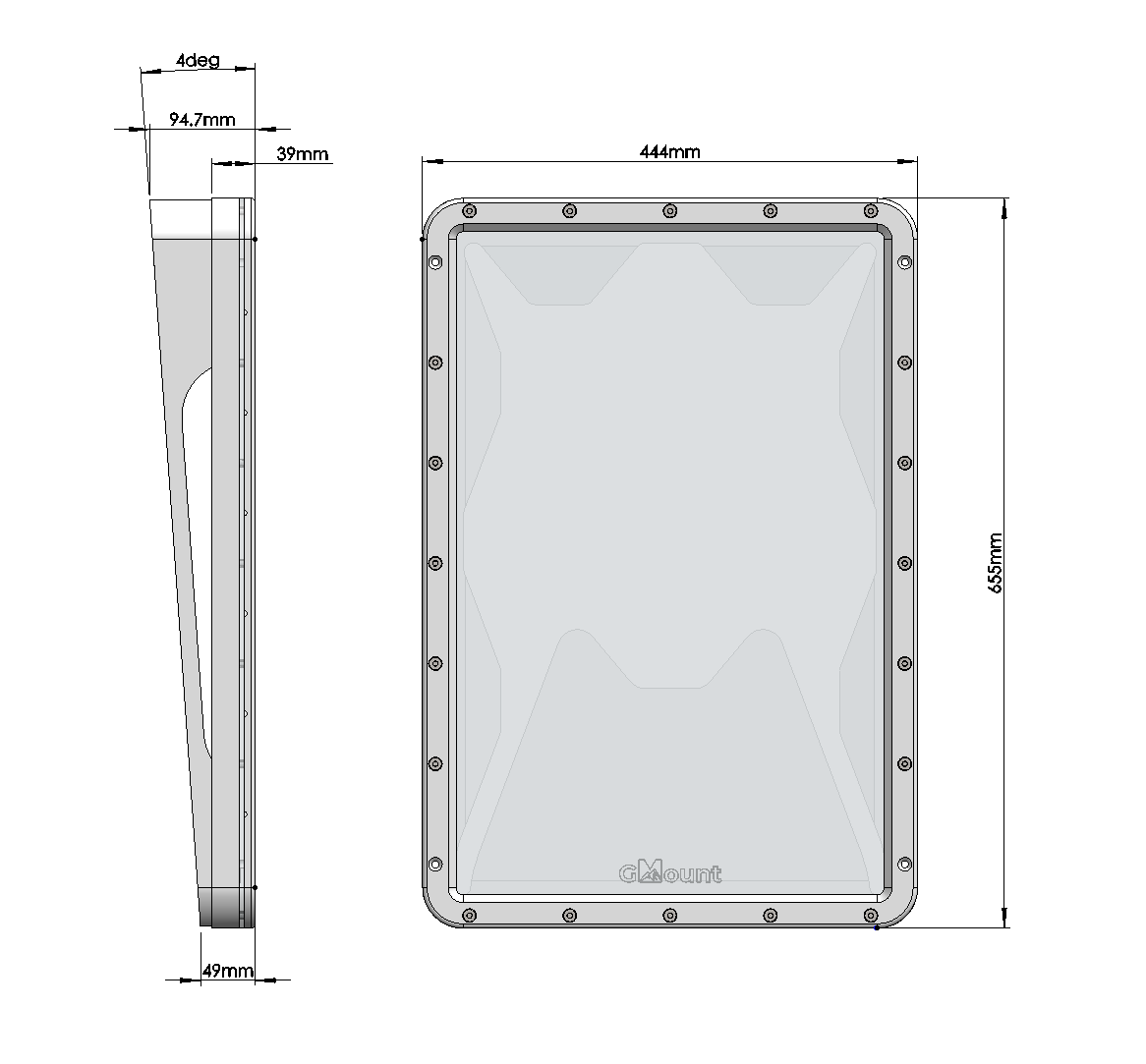
Typical GMount, Peplink and Starlink layouts. A surveyed job still needs GMTS or the dealer to confirm the run.
Wiring
Follow the SKU datasheet for voltage, fuse and PoE class. Drawings show topology, not every vessel's cable run.
Install FAQs
Power, PoE, drawings vs job packs, and how the GMTS team adds another guide. More answers land here as we write them.
Are default drawings the same as a job pack?
No. Default drawings are starting points for typical GMount, Peplink and Starlink layouts. A surveyed install still needs the dealer or GMTS to confirm cable runs, fusing, power and mounting for that vessel or site.
How does the GMTS team add another drawing or guide?
In WordPress: Portal → Documents → Add document. Choose type Drawing, Wiring, Install guide, Guide or Feature. Set visibility to dealer (not public). Upload the PDF or paste a file URL, then publish.
It appears on Portal → Drawings & wiring for approved dealers. FAQs are added under Directories → FAQs, with category Installation, Wiring or Drawings.
How should marine DC wiring be run?
Fuse close to the source, use marine-grade duplex, label both ends, keep drip loops, and isolate before landing crimps. GMTS drawings show typical topology, not every vessel's cable run.
What power and fusing should I follow?
Follow the manufacturer datasheet for that SKU — voltage, fuse rating and PoE class. Do not copy fuse values from another job. If a drawing and the datasheet disagree, stop and ask GMTS before landing the circuit.
When do I need PoE versus a DC barrel?
Check the product extras and the datasheet for that SKU. Access points and cameras often need a matching PoE injector or switch; many routers are DC. The quote extras are the source of truth — do not assume the last job’s power feed.
Where are default drawings and wiring notes?
Approved dealers find them in the dealer portal under Drawings & wiring. GMTS uploads PDFs and notes there as they are signed off.
Guests do not get install files on public product pages. Apply as a dealer, or ask the GMTS team for a job-specific pack.
Who do I ask for a custom schematic?
Email your GMTS account contact with the SKU list, photos of the vessel or site, and DC bus voltage. Default drawings are not a substitute for that review.
Why are install manuals not on the public product page?
Install manuals, wiring drawings and commissioning notes stay in the dealer portal. Public product pages keep datasheets and quote tools only. That keeps trade files with approved installers.
Product spotlight
Hardware our dealers specify every week. Request a quote on any product.