


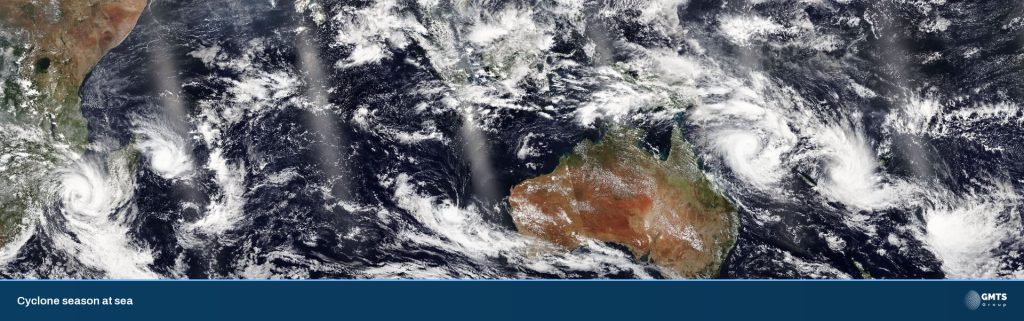
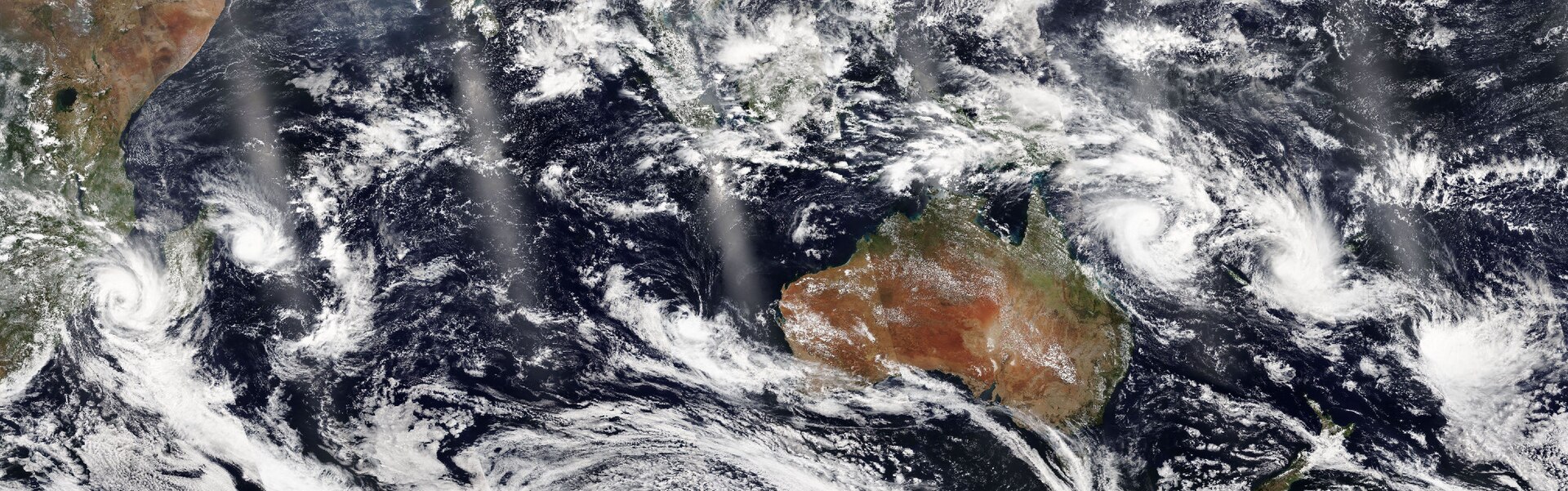
Image: NOAA-21/VIIRS via NASA Worldview (public domain), via Wikimedia Commons.
MetService issues its tropical cyclone bulletin through the season, from 1 November to 30 April, and this year the season didn’t wait long. Severe Tropical Cyclone Xavier spun up in mid-November, reached Category 5 and parked itself over the northern Cook Islands for the best part of a week. Cook Islands News reported a State of Emergency for Nassau, residents of Pukapuka sheltering for nights on end, and gusts forecast to reach 260 km/h near the centre.
Nobody sensible sails into that. But plenty of Kiwi boats are heading north for the season, and Xavier is the clearest reminder in a while: your comms plan has to work when one link doesn’t.
What a cyclone warning actually asks of vessels
Cyclone warnings for the tropical South Pacific come from RSMC Nadi in Fiji, and MetService is also an official Tropical Cyclone Warning Centre. MetService’s tropical cyclone bulletin is issued through the season and gives position, strength and a five-day outlook.
The Nadi warnings carry an instruction that’s easy to skim past. During Xavier, Hurricane Warning 020 asked all vessels within 300 nautical miles of the centre to send reports every three hours. That’s eight check-ins a day, and it only works if you have a path off the boat that survives heavy rain, big seas and a lot of motion.
For most of us the message is simpler: keep well clear, get the forecast early and often, and make sure someone ashore knows where you are.
Layered comms: why each link fails differently
Maritime NZ’s advice is to carry at least two ways to call for help that work when wet. Offshore, we’d go further. Each piece of kit has its own weak spot, so you layer them.
- VHF. Your best two-way link near the coast and the distress channel everyone listens to. Maritime NZ notes even a portable set can reach about 50 km, but it has dead spots and a range limit. Mid-ocean, it’s boat-to-boat only.
- EPIRB / PLB. The last-resort “come and find us” button. Registered, in date, and reachable from the cockpit, not buried in a locker.
- Starlink Maritime. The high-bandwidth path: weather files, video calls, email, routing. Heavy rain can cut throughput, and a dish needs a clear view of the sky, so a new radar or a sail in the way matters.
- Iridium. Slower, but L-band and global. It’s the link we lean on when the dish is struggling, for safety messaging, voice and the three-hourly position report.
- Cellular. Handy close to shore. Not a plan for blue water.
Layering means a squall, a flat battery or a loose connector won’t take you off the air. On the boats we fit out, Starlink and cellular sit behind one Peplink router, so failover happens automatically and you’re not working out which modem is “the internet” in 40 knots.
Before you leave New Zealand: power, mounting and antennas
Most offshore comms faults aren’t exotic. They’re the basics, found too late.
- Power. Know what your comms stack draws and how long it runs on batteries alone. Starlink on a 12V/24V supply, with the router and Iridium on a circuit you can keep alive when you’re shedding load.
- Mounting. Salt, sun and vibration loosen everything. Check the dish mount alongside, not halfway to Tonga.
- Sky view. Walk the boat. Has anything new crept into the dish’s view of the sky since last season?
- Cables and connectors. Look for chafe, kinks and water ingress, and seal the connectors properly.
- Antennas. Iridium and cellular antennas need a clean view too. A well-placed external antenna beats a handset in the cabin every time.
- A real test. Power everything down, bring it back up, and make an actual Iridium call. Unplug the dish and watch the router fail over. If you only assume it works, you haven’t tested it.
Weather downloads and a check-in schedule
Bandwidth is useless without a routine.
- Set up your weather sources before you go. Know which forecasts and GRIB files you’ll pull over Starlink, and which lightweight versions you can still get over Iridium if the dish is struggling.
- Agree a check-in schedule with someone ashore. A time, a channel and a plan for when you miss one. Text, email or a tracker ping all count.
- Practise the three-hourly report. If a warning ever asks for one, you’ll know exactly how long it takes and what it costs in power.
Quick checklist before heading north
– Two waterproof ways to call for help, tested (VHF + registered EPIRB/PLB as a minimum)
– Starlink mount, cabling and sky view checked alongside
– Iridium handset or terminal charged, and a real test call made
– Peplink failover tested by unplugging the primary
– Weather downloads set up for both a fast and a slow link
– Check-in schedule agreed and written down with a shore contact
– Comms power budget known, with a load-shed plan
What we fit and test before a voyage
Whether it’s a 12 m cruiser or a superyacht, we look at the route first, then specify Starlink Maritime kit with Global Priority airtime (yes, we supply the airtime as well as the hardware), Iridium where the route needs a last-resort path, and a Peplink edge so the links work as one network. Then we test it in front of you, unplugging things on purpose, and hand over a one-page sheet that says which light means what.
There’ll be other cyclones before April. The time to find a loose connector or a flat backup battery is now, at the marina, with a coffee in hand.
Talk to the team
Heading north this season? Talk to the marine team or book a time for a pre-voyage comms check. Read more about our Starlink and satellite setups and marine cellular.
We’re a certified supplier and installer, and we can support you or your preferred installer onboard and ashore. Starlink airtime is also available with flexible plans and pool options.
Sources
- Tropical Cyclone Activity, MetService. https://www.metservice.com/warnings/tropical-cyclone-activity (accessed 20 Nov 2026)
- Hurricane Warning 020, Severe Tropical Cyclone Xavier (RSMC Nadi, via WMO WWMIWS), RSMC Nadi / World Meteorological Organization. https://wwmiws.wmo.int/index.php/metareas/display/bulletin_download/WHPS01_NFFN/20261119064736379754 (accessed 20 Nov 2026)
- Nassau on storm alert as Category 4 Cyclone Xavier slows, Cook Islands News. https://www.cookislandsnews.com/internal/national/outer-islands/weather/nassau-on-storm-alert-as-category-4-cyclone-xavier-slows/ (accessed 20 Nov 2026)
- Communications, Maritime NZ. https://www.maritimenz.govt.nz/recreational-craft/getting-started/before-you-go/communications/ (accessed 20 Nov 2026)
- VHF Marine Radio, Maritime NZ. https://maritimenz.govt.nz/recreational-craft/getting-started/before-you-go/communications/vhf-marine-radio/ (accessed 20 Nov 2026)