


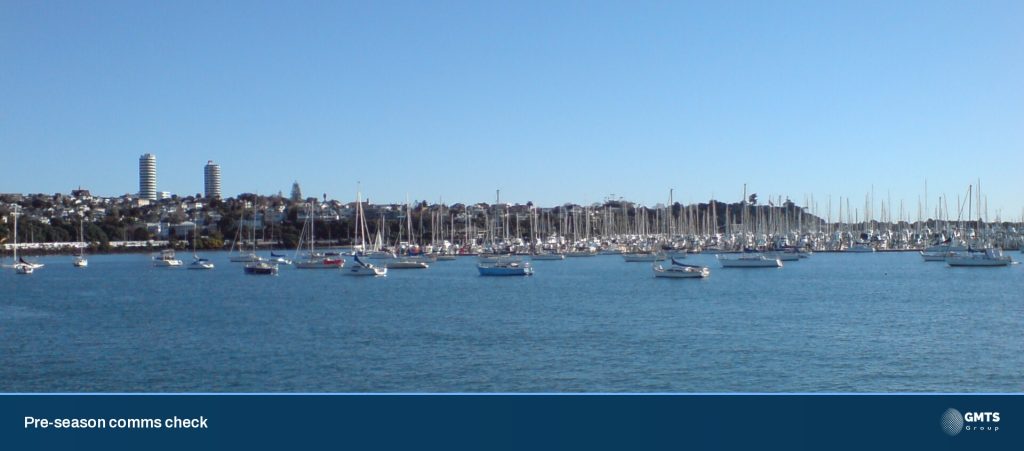

The days are longer, the water’s warming up and the marina car parks are filling on a Saturday morning. For a lot of boats, the next few weekends are the first proper trips of the season.
Before you head out past the Rangitoto light, give your comms ten minutes. A handheld VHF that’s been sitting flat in a drawer since April, or a beacon with an expired battery, is a five-minute fix at the marina. Off the Noises with the wind getting up, it’s a much bigger problem.
Here’s the check we’d run on our own boats.
Start with Maritime NZ’s “take two” rule
Maritime NZ’s advice is clear: carry at least two waterproof ways to call for help. Their Safer Boating Guide lists the options as VHF radio, a distress beacon (EPIRB or PLB), a cell phone in a waterproof bag, and flares.
So where do Starlink and cellular fit? They’re brilliant for weather, email, routing, keeping the crew happy and calling the shore. But they’re in addition to your safety kit, not a replacement for it. A dish needs power and a clear view of the sky. Cell coverage runs out. VHF and a registered beacon are still the backbone.
VHF: the radio everyone’s listening to
Maritime NZ calls VHF your best two-way means of communication off the coast. Channel 16 is monitored 24/7 by the Maritime Operations Centre, and a call is heard by Maritime NZ, Coastguard and the boats around you, who may be closest to help.
A quick pre-season pass:
- Handheld on you. Maritime NZ recommends a waterproof handheld attached to your lifejacket or in your grab bag. A fixed set has more range, but you can’t reach it if the boat’s on its side. If you can, carry both.
- Charge and test it. Does it hold charge? Is the display readable in bright sun? Can you hear it over the engine?
- Callsign. Once you’ve done your VHF course, you can apply to Coastguard for a callsign. It’s registered on a national search and rescue database, so rescuers can find out about your boat faster. You need a VHF operator certificate to transmit, except in an emergency.
- Know the dead spots. VHF has a range limit and blind spots behind headlands and islands. Ask your local Coastguard unit or a local skipper where they are.
Beacons and phones
- EPIRB or PLB. You’re required by law to register it and keep the details up to date. Check the battery expiry date while you’re at it. EPIRBs are the preferred beacon for boats; a PLB on your person suits smaller craft.
- Cell phone. In a sealed waterproof bag, on you, battery saved for what matters. You can call 111 in distress, but don’t count on coverage.
Trip reports: who knows your plan?
Let someone responsible know where you’re going, who’s aboard and when you’ll be back. Maritime NZ says you can log a trip report with Maritime Radio or Coastguard on VHF, or through the Coastguard app.
One detail worth knowing from the Safer Boating Guide: a search will not be made just because you didn’t cancel your trip report. If you’re in trouble, you still need to call or set off your beacon. And cancel it when you’re home, every time.
On weather, the guide is just as practical: use a marine forecast, not a land one, and listen to the Coastguard NOWCASTING weather on VHF channels 19, 20 and 79.
Wi-Fi onboard: when is it worth it?
This is where we get asked the most questions. A few honest answers:
- Day trips in the inner Gulf? A good phone plan may be all you need.
- Weekends away, kids aboard, or working from the boat? A marine router with an external antenna makes a huge difference to cellular coverage, and gives everyone one Wi-Fi network instead of five hotspots.
- Barrier, the Coromandel and beyond, or heading offshore? That’s where Starlink earns its place, behind a router that can switch between Starlink and cellular automatically.
Keep the boat’s own systems on a separate network from guests and crew. Your plotter, monitoring and cameras shouldn’t share bandwidth with someone streaming a movie.
10-point pre-season comms checklist
1. Two waterproof ways to call for help on board, and tested
2. Handheld VHF charged, waterproof and on your lifejacket or in the grab bag
3. Fixed VHF tested with a radio check
4. Callsign registered and your details current
5. EPIRB/PLB registered, details up to date, battery in date
6. Phone in a waterproof bag, on you
7. Trip report habit sorted (and cancelled when you’re back)
8. Marine forecast app and NOWCASTING channels known
9. Starlink mount, cables and connectors checked for chafe and corrosion
10. Router firmware updated and failover tested by unplugging the primary link
Print it, stick it inside the cabin door, and run through it before the first trip of the season.
Where we come in
Most of what’s above you can do yourself this weekend, and you should. Where we help is the connected side: Starlink installs, marine Wi-Fi, Peplink routers and Poynting antennas, plus monitoring like VesselNow and YachtDevices so the boat tells you when something’s wrong. We specify, install and test it together, and hand over a simple diagram the next person can follow.
Talk to the team
Want a second pair of eyes before summer? Get in touch or book an install time. See our onboard networks and Wi-Fi and Starlink for boats.
We’re a certified supplier and installer, and we can support you or your preferred installer onboard and ashore. Starlink airtime is also available with flexible plans and pool options.
Sources
- Before you go, Maritime NZ. https://maritimenz.govt.nz/recreational-craft/getting-started/before-you-go/ (accessed 20 Nov 2026)
- VHF Marine Radio, Maritime NZ. https://maritimenz.govt.nz/recreational-craft/getting-started/before-you-go/communications/vhf-marine-radio/ (accessed 20 Nov 2026)
- Safer Boating Guide (PDF), Maritime NZ. https://www.maritimenz.govt.nz/media/ydrdqwdl/safer-boating-guide.pdf (accessed 20 Nov 2026)